


Stop 2 - Word Trivia Game
4.41.12K Reviews
App Specs
- Version
- 1.6.2
- Updated On
- License
- Free
- Downloads
- 10,000,000+
- Developer
- Fanatee, Inc.
- Categories
- Word
- Platform
- Android, iOS
Screenshots

 Analysis by AppCompare
Hey there, fellow word nerds! Have you ever found yourself itching for a fun and challenging word game that doesn’t just test your vocabulary but also your speed and wits? Well, let me introduce you to Stop 2 - Word Trivia Game. This app is like a breath of fresh air in the world of word games, and I’ve had an absolute blast diving into it.
Who will enjoy the quick-fire format?
The appeal for me is the small, clear task: take a category, work out what belongs in it, and respond under time pressure. That makes Stop 2 a good fit for friends who want a lively word challenge without setting aside an evening for a long campaign. A short gap before a meal or a quiet stretch while waiting for someone can become a round of mental scrambling and laughter.
It suits players who enjoy retrieving words quickly more than carefully solving a crossword clue. If you like pausing to check every answer or prefer a solo puzzle with no clock, the pace may feel pushy rather than exciting. I’d also think twice about choosing it for a group that dislikes competitive play: the same timer that makes a round lively can make a relaxed chat feel like a test.
A small routine that makes rounds more fun
One useful way to play is to treat the first few rounds as a warm-up rather than a score chase. I’d start with familiar categories, notice which kinds of prompts slow me down, then use later turns to try less obvious answers. The practical benefit is that the game becomes a quick vocabulary exercise, not only a race to type the first word that comes to mind.
For a casual get-together, I’d agree on a simple house rule before starting: keep the banter friendly and give everyone a moment to understand the category. That matters when one person is already comfortable with fast word games and another is still learning how to think under the clock. The social side works best when the competition is a reason to laugh together, not a way to embarrass the slowest player.
How it differs from quieter word games
Compared with crosswords, word searches, or anagrams, this style puts more weight on speed and recall than on patient deduction. Those alternatives are better when I want a private, unhurried puzzle or a clearly defined solution to work toward. Here, the fun comes from seeing what I can retrieve in the moment and how my answers compare with another person’s.
That trade-off is important. A quick category round can be easier to share than a puzzle that requires one person to explain a clue, but it may also reward familiarity with a topic as much as general word skill. If a prompt lands outside someone’s interests, the round can feel uneven. I’d choose a slower puzzle for a solo commute or a study session; I’d choose this when the point is a brisk head-to-head challenge.
Worth Reading Before You Choose

Baby Panda World Brings Quick Play to Modern Phones, but Its Game Library Feels Busy

ESPN’s Live Game View Makes Following Close Games Easier

QuizzLand Review: A Good Fit for Short Trivia Breaks, Not Every Player

Basketball Stars: Multiplayer Is Fast, but Can It Recover When Matches Go Wrong?

WEBTOON Turns Phone Updates Into a Better Reading Routine

Link to Windows Runs on Shared Habits, Not Social Feeds
Getting Started with Stop 2
Diving into Stop 2 - Word Trivia Game is as easy as pie. Once you download and install it, you'll be greeted with a colorful and lively interface that immediately sets the tone for the fun ahead. The app offers a quick tutorial when you first start, which is super helpful to get you acquainted with the game mechanics. It’s straightforward yet comprehensive enough to make sure you’re ready to jump in without feeling overwhelmed.
Game Mechanics: How It Works
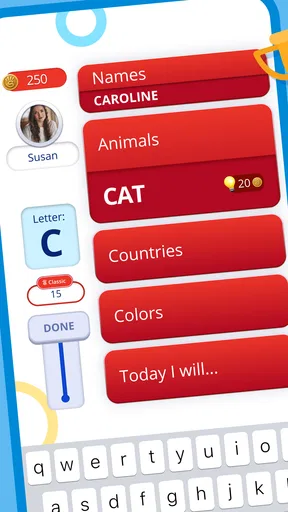
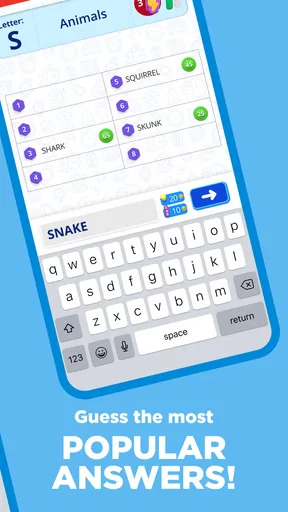
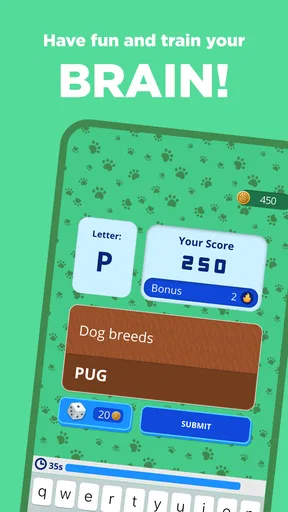
Essentially, the game throws a category at you—like “fruits” or “countries”—and you need to come up with words starting with a specific letter. It sounds simple, right? But here’s the catch: you’ve got to be quick! You’re racing against the clock and sometimes against other players. This adds a layer of excitement and urgency that keeps you on your toes. I found myself frantically typing out words, trying to beat my own score and those of my friends.
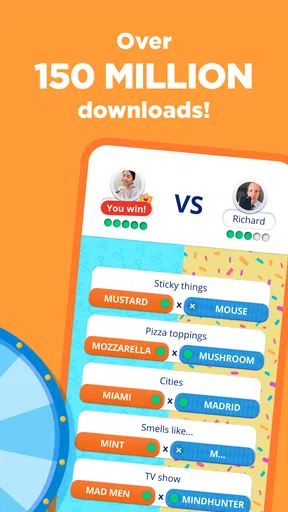
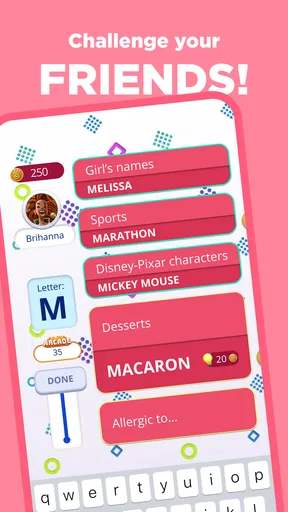
There’s also a multiplayer mode where you can challenge friends or random opponents. This is where the game really shines. Nothing beats the thrill of outsmarting your friends in a head-to-head word duel. The app even has a chat feature, so you can engage in some friendly banter or good-natured ribbing.
Visuals and User Interface
The developers have clearly put a lot of thought into the design of this app. The graphics are vibrant and inviting, which makes the game aesthetically pleasing to play. The interface is intuitive and easy to navigate. Buttons are well-placed, and the overall layout is clean, ensuring that you don’t get lost or confused while navigating through different menus and game modes.
What Makes Stop 2 Stand Out?
One of the things I particularly enjoy about Stop 2 - Word Trivia Game is the variety of categories. This isn’t just your run-of-the-mill word game. The categories can range from everyday topics like “animals” to more niche ones like “famous landmarks.” This keeps the game fresh and encourages you to expand your vocabulary and general knowledge.
Another standout feature is the game’s ability to cater to different skill levels. Whether you’re a seasoned wordsmith or a casual player, there’s something for everyone. You can adjust the difficulty level, which makes it accessible for players of all ages and abilities.
The Social Element
The social aspect of Stop 2 is worth noting. You can connect with friends, make new ones, and even join word clubs to compete in group challenges. It’s a great way to stay connected and engage with a community of like-minded word enthusiasts.
Moreover, the app is continually updated with new features and challenges, keeping the game fresh and exciting. I appreciate that the developers are actively working on enhancing the gaming experience.
Purchase context and fairness
The game is free to download, with in-app purchases listed from $0.99 to $99.99 per item. That range is broad, so I would check the purchase screen carefully before confirming anything and make sure any device used by a child has suitable purchase controls. The age rating is Everyone, but that does not make every purchase decision automatic; it is still worth agreeing on spending boundaries if the game is shared.
For a fair match, I’d focus on playing with people who enjoy the same pace and understand the category-based format. Quick recall is part of the challenge, so a strong player may have an advantage, especially when a prompt suits their interests. I wouldn’t treat every result as a pure measure of vocabulary or knowledge. The time pressure and familiarity with a topic both shape how a round feels.
What to check before settling in
If you are deciding whether it will work for your routine, the key question is whether you want competitive rounds or a calm solo activity. The game’s fast category prompts and multiplayer options point toward the former. I’d try a few rounds before inviting a whole group, since that gives everyone a chance to learn the rhythm and decide whether the timer is fun for them.
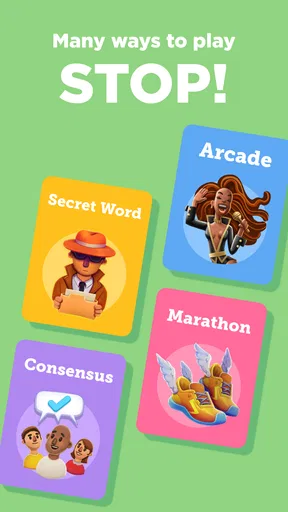
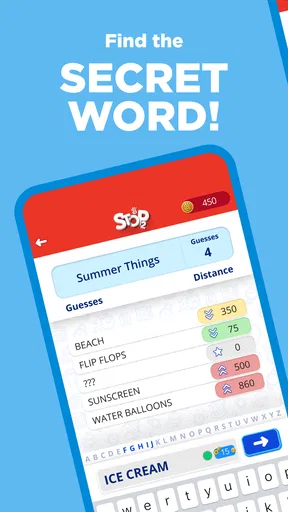
There are also practical details I would check directly in the app before making plans around a particular play style, such as how a chosen match is set up and what an optional purchase includes. I wouldn’t assume that every mode works the same way or that spending is necessary to enjoy the core word challenge. The sensible approach is to start free, explore the available choices, and only pay if a clearly described item is something you actually want.
Who should choose another kind of game?
If you prefer to think slowly, dislike being scored against another person, or want a word game built around long-form clues, this probably isn’t the best match. A crossword or untimed word puzzle gives more room to deliberate. I’d also skip a timed session when I’m tired or trying to play while distracted; the format asks for attention, and interruptions can turn a fun challenge into a frustrating scramble.
On the other hand, it can be a handy choice for friends who already trade trivia questions or enjoy inventing answers on the spot. A realistic use is a brief round while waiting for a table: one person starts a match, the others join in, and the category becomes a conversation starter even after the timer ends. It is that easy-to-share burst of play, rather than a deep solo experience, that makes the game useful in everyday life.
Final Thoughts
All in all, Stop 2 - Word Trivia Game is a delightful mix of fun, challenge, and educational value. It’s perfect for a quick brain workout during your coffee break or a long gaming session when you’re in the mood for some friendly competition. The mixture of speed, strategy, and vocabulary makes it a must-try for anyone who loves word games.
Fanatee, Inc. develops the game, which is rated 4.2 on average from around 106,000 ratings, with about 1,000 written reviews and over 10 million installs. It is free, rated for Everyone, and version 1.6.2 requires Android 7.0 or later. Those details make it easy to see that it has reached a broad audience, though popularity alone cannot tell you whether its quick competitive rhythm suits you.
If you’re ready to test your word skills and have a blast doing it, give Stop 2 a go. Trust me, once you start, it’s hard to stop! Happy gaming!
Pros
- Challenging puzzles enhance vocabulary skills.
- Engaging multiplayer mode for friendly competition.
- Visually appealing with intuitive design.
- Frequent updates with new levels and challenges.
- Offline play available for on-the-go enjoyment.
Cons
- Some levels can be overly difficult.
- In-app purchases can be pricey.
- Occasional ads disrupt gameplay.
- Limited hints can frustrate players.
- Requires internet for multiplayer mode.
FAQs for Stop 2 - Word Trivia Game
What is Stop 2 - Word Trivia Game?
Stop 2 - Word Trivia Game is a fast-paced word trivia app where players compete by answering questions from various categories. The twist is that all answers must start with a specific letter. This game challenges your vocabulary and quick-thinking skills, making it perfect for word enthusiasts and trivia lovers alike.
How do you play Stop 2 - Word Trivia Game?
To play Stop 2, you select a category and receive a letter. Your objective is to answer as many questions as possible with words starting with that letter before the timer runs out. Compete against friends or random opponents and earn points based on the speed and accuracy of your answers.
Is an internet connection required to play Stop 2?
Yes, an internet connection is necessary to play Stop 2 - Word Trivia Game. The game involves real-time competition with other players, requiring a stable online connection to ensure smooth gameplay and accurate scoring. Offline play is not currently supported, so plan to be connected while playing.
Are there in-app purchases or ads in Stop 2?
Stop 2 - Word Trivia Game includes both ads and in-app purchases. While the game is free to download, players can buy additional features like ad removal or extra hints through in-app purchases. Ads may appear between rounds, but they are generally unobtrusive and do not significantly impact gameplay.
What age group is Stop 2 suitable for?
Stop 2 - Word Trivia Game is suitable for players aged 12 and up. Its content is family-friendly, but the vocabulary challenge might be more appropriate for teenagers and adults who enjoy word games. Parents are encouraged to review the app to ensure it aligns with their expectations for younger players.


